
Antigravity A1 Follow Me Bundle Review: The Upgrade Solo Creators Needed
Antigravity A1 Follow Me Bundle Review: The Upgrade Solo Creators Needed
The Antigravity A1 already offers a pretty unique experience as an FPV 360 drone. The goggles and controller make flying intuitive, but they don’t solve my biggest problem as a solo creator: I can’t wear goggles and operate a controller while trying to walk naturally through a scene.
The A1 Follow Me Bundle changes that. With a wrist remote, a ring remote, and automatic tracking, the A1 starts to feel like a flying camera operator. It follows the action, captures the surroundings, and lets me decide on the final framing later.
After a few weeks of using it, including playground obstacle tests, tight mountain trails, and an e-bike speed test, I’m impressed. There is one practical limitation I’d really like to see addressed, though.
Disclosure: Antigravity sent me the A1 bundle to test. This article includes an affiliate offer, and I may receive a commission from purchases made through my link.
Quick Summary
- The wrist and ring remotes make follow-me filming practical without goggles or a handheld controller.
- The A1 navigated playground obstacles and wooded passages with impressive persistence during my tests.
- 360 footage lets you choose camera movements and aspect ratios after recording.
- Finding a safe landing spot remained frustrating, and easy palm landing was my biggest missing feature.
What Comes in the A1 Follow Me Bundle?
There are two options, depending on whether you already own the drone.
The complete Follow Me Bundle includes:
- The Antigravity A1 360 drone
- A watch-style wrist remote
- A ring remote
- Full-coverage propeller guards
- A crossbody bag
- Additional accessories
If you already have an A1, the Follow Me Bundle accessory kit includes the bundle accessories without another drone.
The important change isn’t just having a few more things in the bag. It’s being able to use the A1 without relying on the goggles and handheld controller for this style of filming.
Controlling the A1 From Your Wrist
My first question was simple: how do you control the drone without the usual setup?
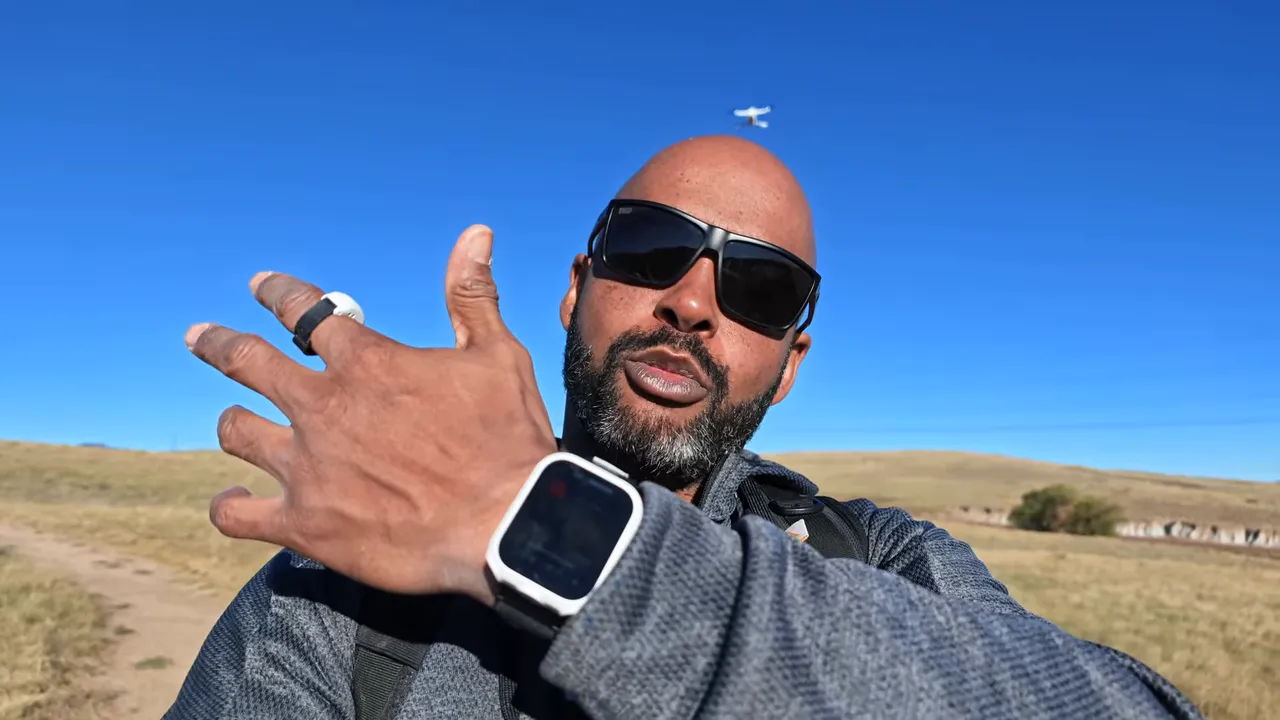
The answer is the wrist remote and ring remote. Wear both on the same hand. Together, they let you reposition the A1 while it’s following you, rather than stopping everything to take over with a controller.
Drag-to-Fly: Move Your Hand to Reposition the Drone
In one test, the A1 was following behind me on my left. I wanted it in front of me on my right instead.
- Hold the button on the ring remote to enter Drag-to-Fly mode.
- Move your hand to guide the drone toward the position you want.
- Once it’s positioned, continue tracking from that new location.
That’s the part that makes this feel so natural. I’m not thinking through a series of joystick inputs. I’m moving my hand, and the drone moves into position.
Twist Your Wrist to Change the Distance
You can also bring the A1 closer or send it farther away using a wrist motion.
- Twist inward: Bring the drone closer.
- Twist outward: Move the drone farther away.
Use the ring remote button while making the adjustment. In my demonstration, the A1 started roughly three meters away. I brought it in, pushed it back out, and it continued tracking at the distance I’d chosen.
It’s a small interaction, but it makes a big difference when you’re trying to create a shot without breaking the flow of what you’re doing.
Precision Deep Track and Obstacle Avoidance
A follow-me drone needs to get two things right: keep tracking the subject and avoid running into things along the way. Being good at only one of those isn’t enough.
The A1’s Precision Deep Track is designed to maintain tracking during faster movement and brief periods when the subject is obscured. You can customize the tracking setup by adjusting:
- Following distance
- Flight height
- Shooting angle
The A1 also offers 360-degree obstacle avoidance, with front-facing and downward-facing vision sensors contributing to its obstacle-sensing system.
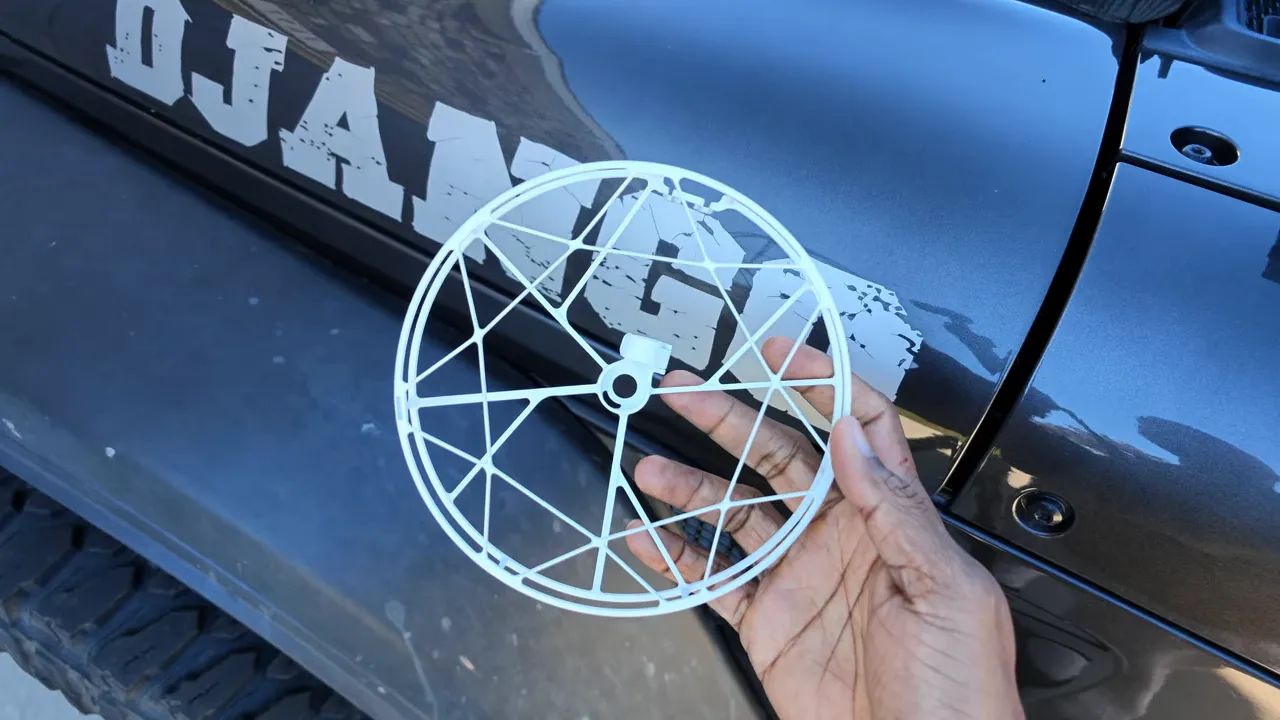
That doesn’t make a collision impossible. The bundle’s full-coverage propeller guards add protection around the propellers, which is especially useful when working close to objects. I’d treat them as an extra layer of protection, not a guarantee against damage or injury.
The Playground Test: Finding a Different Way Through
Wide-open spaces are the easy part. I wanted to know what the A1 would do when the route wasn’t obvious, so I set Deep Track to follow closely and headed into a playground.
The equipment gave it a mix of obstacles: ropes, railings, support bars, slides, and changes in elevation.
Going Over Instead of Following My Exact Path
As I walked around a rope play structure, the A1 followed, then chose to climb over the top rather than continue around it behind me. That was an interesting result. It didn’t insist on copying my route; it found another way to keep tracking.
Next, it followed me up a sidewalk beside a railing without an issue.
Backing Away From a Tight Opening
The more revealing test came underneath a slide. There was a very narrow opening to the right and a clearer route to the left.
The A1 tried the right-hand side, backed away, then moved left and continued following me. That hesitation was useful. Rather than forcing its way forward, it reconsidered the route.
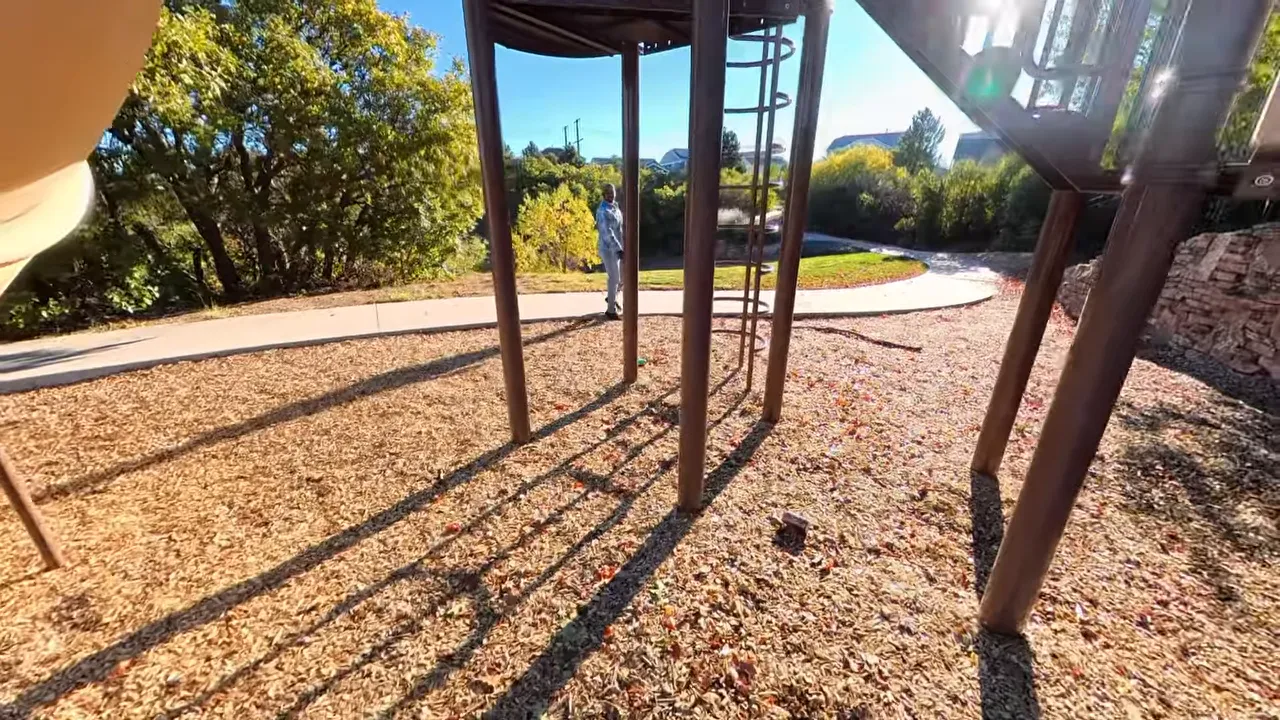
Finally, I climbed the bars toward the top of the slide. The A1 adjusted its elevation as I climbed.
Overall, it did a good job of combining tracking with route changes. But a playground was only the first test.
Mountain Trail Tests at About 11,000 Feet
For the next set of challenges, I took the A1 into the mountains at roughly 11,000 feet of elevation.
There was an important catch: the A1 wouldn’t fly at that elevation with the propeller guards installed, so I performed these tests without them. That was a risk I chose to take, not a reason to assume the guards are unnecessary.
Antigravity’s U.S. repair facilities and stated quick turnaround times offered some reassurance if I crashed, but I still would have preferred to avoid needing them.
A Narrow Passage Between Trees
The first challenge was a tight gap between trees. The A1 hesitated and appeared to test possible routes forward. Eventually, it climbed over the branches and continued following me.
Again, it didn’t always take the most direct route. What stood out was its persistence in finding a route that kept the tracking going.
Thin Branches With No Easy Route Over the Top
I honestly didn’t think it would complete the next challenge. Thin branches crowded the sides and overhead, and the trees were too tall for the simple solution of flying over them.
The A1 made several attempts, then found a path through.
That surprised me. These were challenging conditions, and the drone stayed persistent. Still, a successful test through branches isn’t a promise that it will clear every wooded trail. I’d use these results as evidence of what it managed in my testing, not permission to ignore the surroundings.
For U.S. flights, the FAA’s drone guidance is a useful starting point for checking the rules that apply to your operation. Automatic tracking doesn’t replace responsible flight planning.
Sky Genie Adds Automated Camera Moves
Tracking isn’t the only feature available from the watch remote. Sky Genie provides preprogrammed camera movements that add variety without requiring you to manually fly each move.
The demonstrated options included Ascend and Spiral Ascend. These are useful for travel footage and vlogs when you want something more interesting than a continuous follow shot.
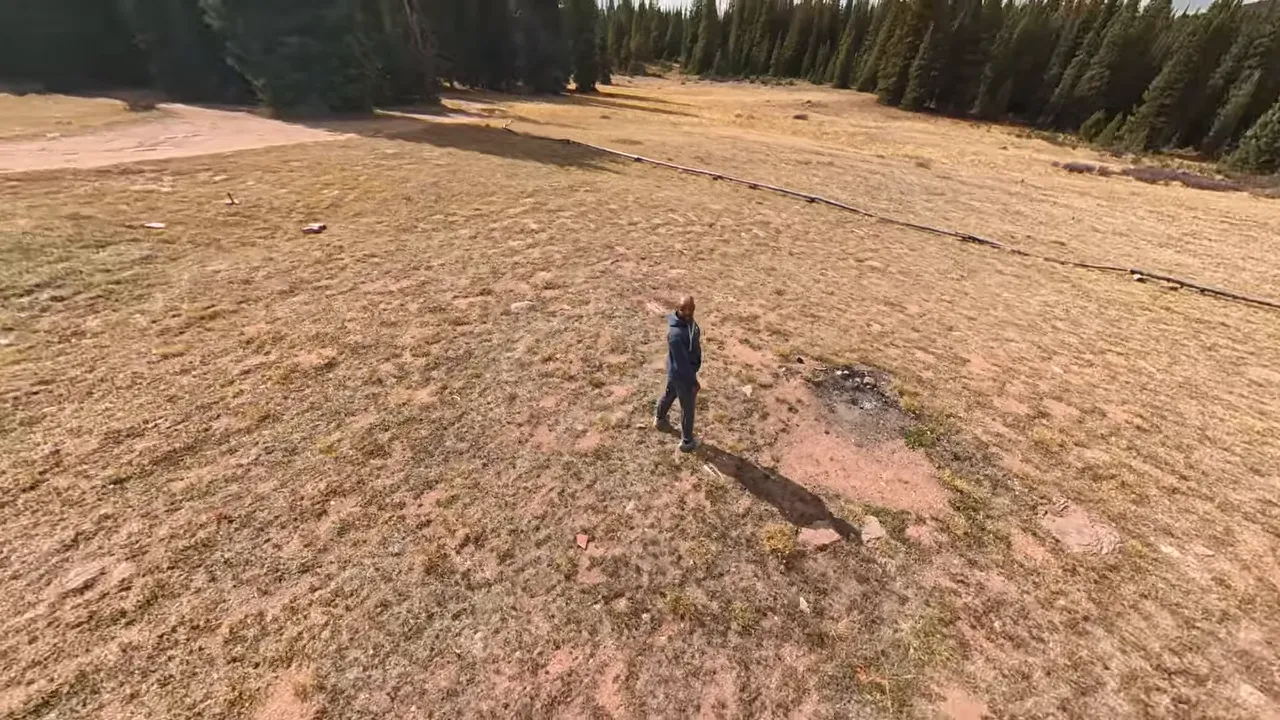
They also work well as transitions. A rising or spiraling shot can give you a natural way to move from an activity into a wider view of the location.
Can the A1 Keep Up With an E-Bike?
The A1 can reach about 22 mph, and my e-bike can do roughly the same. That made the bike a pretty good way to test its tracking speed.
I started tracking with a hand wave, which is one of the available ways to engage it. The gesture worked, and I began riding at around 10 mph.
The drone followed, so I increased the speed to about 20 mph, then 22 mph.
It kept up. I thought it might overshoot me, but it maintained the track during the test.
For the kind of riding I was doing, that was encouraging. It demonstrated useful tracking at speed, although I wouldn’t turn one successful ride into a guarantee for every route or condition.
Why 360 Capture Makes This More Useful Than a Standard Follow Shot
The follow-me controls solve the flying side of the problem. The 360 camera system solves a lot of the framing problem.
The A1 uses two wide-angle lenses, one on top and one underneath. Their images are stitched together into a 360-degree image, with the drone body sitting in the area between the two views so it disappears from the stitched result.
With a standard drone, you need to think carefully about the shot while flying: where the camera is pointing, how smoothly you pan, and how deliberately you tilt.
With 360 footage, you can capture the scene first and choose those viewing movements afterward in the app or desktop editor.
That doesn’t mean the drone’s physical position stops mattering. It means you have much more flexibility over which direction the finished shot looks. For a solo creator, that takes a lot of pressure off getting every camera move right in the moment.
Use Deep Track in Editing Without Building Every Keyframe
One example was footage of me riding my e-bike along a dirt road in the mountains. I wanted the finished framing to follow me without manually creating all the keyframes.
- Trim the clip to the portion you want to use.
- Select Deep Track in the upper-right area of the editor.
- Play the result and check the framing.
That editing feature is separate from the drone physically following you during flight. Here, it helps keep the subject framed within the recorded 360 footage.
Turn the Same Clip Into Horizontal or Vertical Content
You can also change the aspect ratio after recording. The options demonstrated included:
- 16:9 for a horizontal frame
- 9:16 for a vertical frame
- 1:1 for a square frame
- 4:3 and 3:4
For an Instagram Story, I changed the riding clip to 9:16 and adjusted the view I wanted.
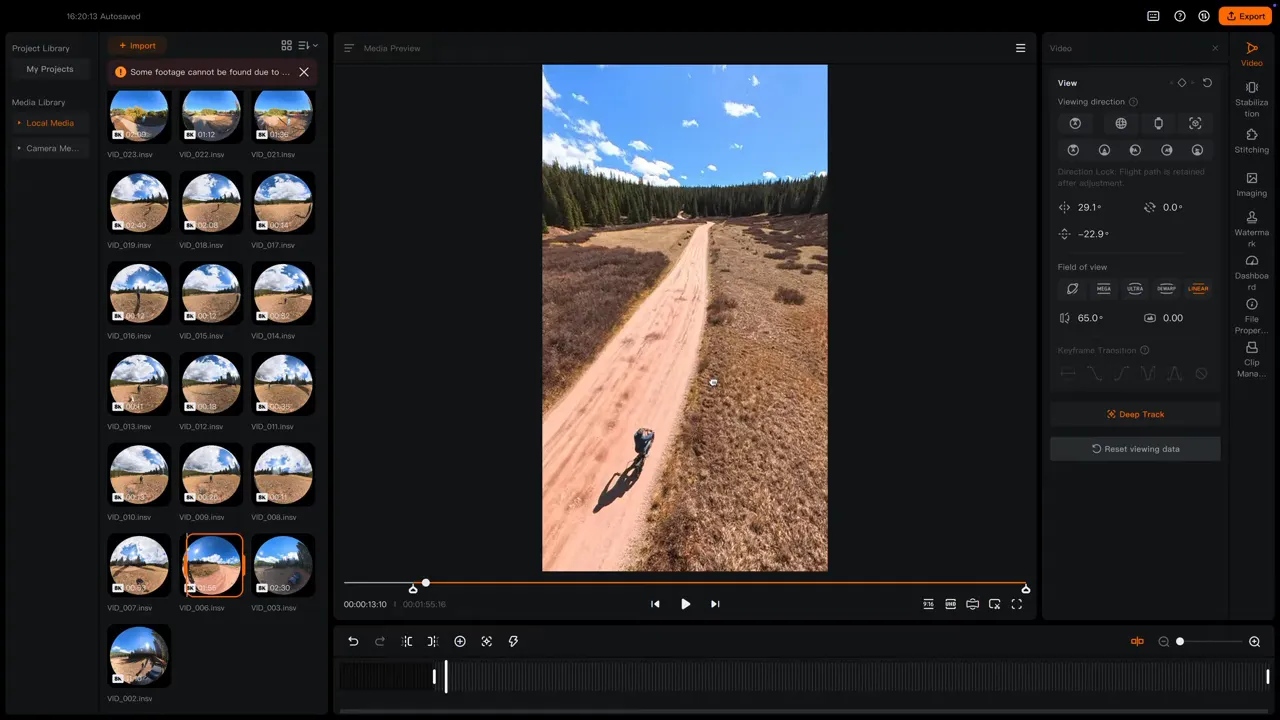
That’s one of my favorite things about this setup: one recording can give you multiple angles, camera movements, and subjects to focus on. You don’t have to commit to just one finished composition while you’re out there.
The Missing Feature: Easy Palm Landing
The biggest practical frustration wasn’t tracking. It was finding somewhere to land.
When I’m out on dirt, rocks, or grass, a clear landing spot isn’t always available. I encountered messages indicating that it wasn’t safe to land.
The A1 can take off from your palm, but easy palm landing was the feature I wanted and didn’t have during this test. Being able to finish a flight that way would make the solo-creator experience much more convenient.
I was using beta software, so that’s important context. I hope palm landing becomes an option, but I can’t say whether or when it will arrive.
My Verdict: A Much Better Fit for Solo Filming
After several weeks, the A1 Follow Me Bundle feels like the upgrade that makes this drone fit the way I actually create.
In open spaces, Deep Track made filming feel straightforward. In obstacle-heavy areas, the A1 impressed me with its willingness to pause, back away, change elevation, and find another route rather than immediately give up.
The wrist and ring controls make repositioning intuitive. Sky Genie adds shot variety. And 360 capture means I can spend less time worrying about the final framing while I’m out riding or walking, then make those decisions later.
Palm landing remains my biggest wish. But for a solo creator who wants to be in the scene instead of constantly operating a controller, the Follow Me Bundle makes the A1 substantially more useful.
|